 YunLab.ai
Mac mini reinstall notes
What really made me hesitate before reinstalling this Mac mini wasn't the fear of not being able to put it back together — it was the fear of accidentally killing off something that was still quietly doing work for me, alongside the pile of stuff that genuinely needed to go.
It's a workstation I'd used for more than a year. The day I bought it I assumed it was just an ordinary little machine. A year in, it had carried several waves of AI-tool experiments, a few half-finished projects, a few model weights stuffed in on deadline, and an uncountable number of launchctl registrations installed under the banner of "let's just get it running first." It had never crashed, and it had never really been clean either.
System disk usage was slowly creeping toward 85%. Spotlight would occasionally freak out. On boot, the Dock would surface icons I no longer remembered installing. The thing that genuinely unsettled me was that every time I opened some old project directory, there were a few .env files sitting quietly inside, each with a real, working token — and I'd already forgotten which experiment they'd been set up for.
My instinctive reaction was: "Just reinstall. Clean install. Start from scratch."
Then I stopped, because I realized something: I had no idea what was actually on this machine anymore.
That feeling of "not knowing" is a subtle one. It isn't full amnesia — I still remember the broad strokes: which projects run where, which tools I use daily, what each icon on the desktop is. But the moment you push one level deeper — "Where does this project's temp cache live?" "Which service does that token belong to?" "Did you ever clean up the intermediate output from last month's experiment?" — I start mumbling. That state of "clear on the big picture, fuzzy on every detail" is fine for daily use, but it's fatal for a reinstall. A reinstall doesn't ask you about the big picture. It asks you about details, one by one. Every detail you mumbled past is a potential accident.
I came to see that the urge to reinstall was itself a signal. It didn't mean the machine was broken; it meant I no longer trusted my own picture of the machine. The real psychological appeal of reinstalling is that it lets a single one-shot action rescue me from the embarrassment of "I don't know what's on this machine." The cost is that it buries, along with everything else, the things I "know but have forgotten where." That's a bad trade. So the right move isn't to reinstall first — it's to rebuild the picture first.
Cleanup isn't the real problem — inventory is
"Reinstalling a workstation" sounds like a pure execution task. Back up, wipe, install the OS, install the tools, restore the data. But the biggest difference between a mid-career workstation and the blank machine you had in college is this: it's loaded with things you assumed you no longer depended on but actually still do.
For example: a small tool I hadn't touched in six months turns out to be an implicit dependency in a script on another workflow. A directory I'd written off as "failed experiment" is in fact still being woken up by a LaunchAgent on a schedule, quietly pushing data to the cloud every day. A model weights directory I'd been resenting for hogging space turns out to be the actual load path for the inference backend I've been using lately — I just never noticed where it lived when I started the service.
What these have in common is that they live in scattered memory. Not in any document, not at the front of my mind, not anywhere visible on the desktop. They work quietly — so quietly that I forgot they existed.
When the reinstall knife comes down, the quiet workers die first. By the time I notice some workflow has broken, a week or two has usually passed. By then I can't recall which service, which script, which directory was holding things up. I'll restore from scratch, and along the way install another pile of "let's just get it running" things. The machine is clean for three days, then it's back to where it was.
So the question isn't actually "how do I get this machine clean," it's "before I lift a finger, can I have a clear list that tells me what's on this machine, what's still in use, and what can be thrown out." That's why I decided to run an asset audit first, instead of jumping straight to cleanup.
Auditing and cleaning are two different things. Auditing is taking inventory of what you own. Cleaning is making decisions based on that inventory. Mixing them is the easiest way to cause an accident.
There are two completely different motivations for a reinstall. One is "my current environment can't meet new requirements anymore, I need a new architecture" — that's a constructive motivation; the reinstall is the means, the goal is out in front. The other is "my current environment is too messy, I want to tear it down for a fresh feeling" — that's an avoidant motivation; the reinstall is a ritual, and the goal is behind it or absent. I'll honestly admit this time was the second kind. Admitting it matters, because avoidant reinstalls are the ones most prone to accidents — you don't have a clear picture of "what the machine should look like afterward," so anything you encounter that goes "hmm, this might still be useful" has no judgment criterion behind it. An audit is the only way to bend an avoidant motivation back into a constructive one: after auditing, you can at least describe concretely what the new machine should look like.
The six asset categories I audited
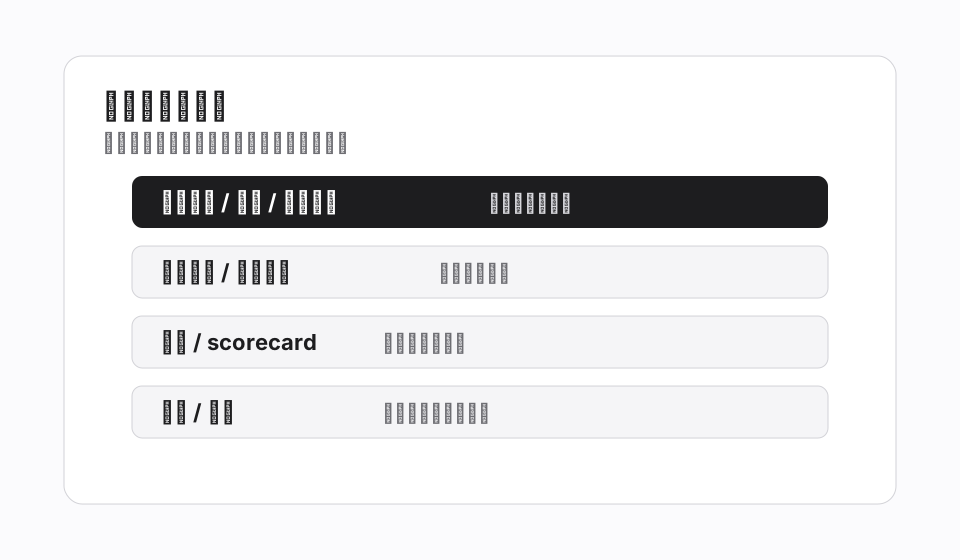
I didn't have an off-the-shelf methodology to copy. Most "Mac cleanup guides" out there are about freeing space, clearing cache, pruning old Time Machine backups. Fine for an ordinary Mac, not enough for a workstation stuffed with AI tools and experimental projects. I worked out my own approach, in six categories.
- Background daemons: every LaunchAgent, cron job, and launchctl-registered service. This category is the most easily forgotten and the most dangerous — they run in the background and don't show up in the prominent parts of the Dock or Activity Monitor.
- Local engineering directories: every project directory, IDE workspace, Docker volume, and ad-hoc experiment directory. This category answers "what have I actually been doing on this machine."
- Files containing secrets: every .env, .aws, .ssh, and any config file with a token field. This category isn't just about disk space; it's a security issue — during a reinstall it's all too easy to sync them into a cloud drive or accidentally drag them into a fresh git repo.
- Bulky assets: model weights, datasets, caches, download archives. This category decides "what needs to be re-downloaded after the reinstall, and what can be thrown away." A 70B model takes hours to download once; tossing it just to re-download is digging your own grave.
- Install lineage: which tools were installed when, why, and whether they're still needed. The list of Homebrew packages is long, and each one had a reason at the time — but half of them may no longer be in use.
- History ledger: previous audit reports, backup archives, old project snapshots. This category is "memory of audits and backups I've done in the past" — it decides whether I can fall back to a known-clean state when things go wrong.
These six categories weren't conjured up. They emerged as I worked through the machine and kept noticing "this thing doesn't fit anywhere I've named yet." The first three — background daemons, engineering directories, secret files — are non-negotiable for any machine that has run a few months of AI experiments. The latter three — bulky assets, install lineage, history ledger — are optional, but if you're planning a reinstall I strongly recommend running all of them.
Taken together, the six categories answer a question that sounds philosophical but is actually very operational: who is this machine, as my workstation? The first three define what it's doing — the processes running in the background, the workplaces it occupies, the credentials that connect it to the outside world. The latter three define what it has lived through — what genuinely heavy assets it stores, what tools it has been installed with, what traces of self-observation it has left behind. A machine is like a person: knowing what it's doing isn't hard, but knowing what it has lived through, what habits it has accumulated, what technical debts it owes — that's what real understanding looks like. The audit was the first time the concept of "my workstation" became concrete instead of abstract.
The audit doesn't need to be fancy. I used the plainest method: one markdown file per category, listing entries, writing down state, marking judgment. My local audit directory now has six files plus a summary. It looks completely unglamorous, but it's the only thing about this reinstall that lets me sleep at night.
On a related note, the order in which you audit the six categories matters too. I'd recommend doing background daemons first — they're the easiest to miss and the easiest to get tripped by while you're cleaning something else. Then files containing secrets — because that category directly determines whether you can even enter the cleanup phase. After that, local engineering directories and bulky assets, which are the heavy lifting but lower risk. Install lineage and history ledger come last; they're more of a wrap-up. I started out auditing in alphabetical order and ended up stepping on a big mine in the secrets section, which forced the whole cleanup to be postponed — I'll talk about that next.
The four numbers it produced
The real value of the audit is turning a "vague feeling" into "concrete numbers."
After I finished, the AI stack on this machine compressed down to four numbers: 6 LaunchAgents, 4 .openclaw* directories, 26 .env files containing tokens, plus a primary working directory of roughly 14G.
Once the numbers were on the table, the whole mindset shifted.
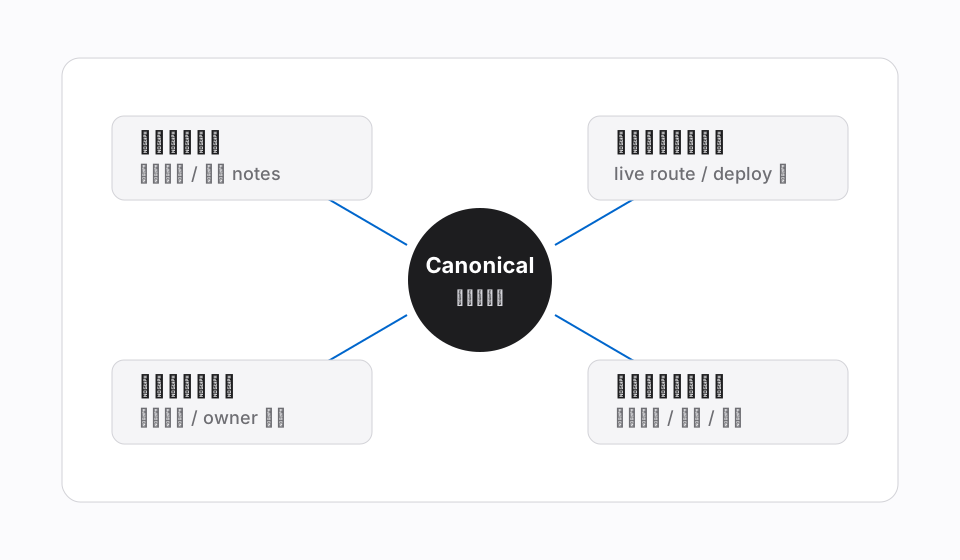
Before the audit, my description of this machine was something like "messy," "stuffed with things," "a bit out of control." That kind of description sounds like complaining, but it can't guide any action — you can't take action on "messy." After the audit, I could at least say something concrete about each number: of the 6 LaunchAgents, 4 are still in use and 2 can come off; of the 4 .openclaw* directories, 1 is the canonical main directory and the other 3 are historical snapshots; the 26 .env files must be migrated to a unified secret management location; most of the 14G working directory can stay, with a small portion being temporary experiment output.
That's what an audit is doing: translating "messy" into items you can make judgments about. A problem translated into items has a chance of being solved. A problem stuck at the "messy" level can only continue to be endured.
That said, numbers alone aren't enough — every number needs a concrete description behind it. "6 LaunchAgents" as just a count, without writing down what each one does, which project installed it, and when it last ran successfully, is no different from "messy" — it just swaps fuzzy mess for precise mess. The audit actually starts working not at the moment I count 6, but at the moment I can say of each LaunchAgent: "this is what it's called, who it serves, whether it's alive or dead, what breaks if I delete it." Numbers are the skeleton; descriptions are the flesh. A list with only a skeleton isn't enough to make decisions on; a list with skeleton plus flesh is.
I used to think this kind of inventory-taking was programmer fastidiousness. I came to see it's actually a standard mid-career move before doing anything big — you measure the room before renovating, you take inventory before moving house, of course you do the same before reinstalling a Mac. The only difference is nobody scolds you for skipping it, so most people do. The cost of skipping is that every reinstall becomes a small gamble — you're betting you haven't forgotten anything critical.
Another finding that surprised me a little: small numbers don't mean small problems. 6 LaunchAgents doesn't look like much, but every one of them represents a piece of logic I've already forgotten — when it was registered, for which project, what happens if it fails, what downstream things will break if I delete it. Genuinely understanding those 6 took me longer than listing all 26 .env files. What the audit brings isn't satisfaction; it's the kind of sobriety where "you thought it was just a little, turns out it's an iceberg." That sobriety matters far more than the relief of "feeling better after deleting things" — it stops you from acting before you can see what's under the water.
Why cleanup had to wait
Audit done, I was ready to move on to the next step: work through the six lists, one by one. Delete what should be deleted, archive what should be archived, migrate what should be migrated. The plan was to finish in an evening and start reinstalling the next day.
Instead, I got completely stuck on the second category — files containing secrets.
26 .env files with tokens sounds like a small number. But the moment I actually looked at what was inside them, I broke into a cold sweat. Some held API keys for an inference service, some held cloud-drive access credentials, some held temporary tokens issued early on just to verify a flow — except "temporary" had run for half a year. They were scattered across 4 different engineering directories, each split into several layers. For a few of the files, even I couldn't say which experiment they'd been left over from.
That meant two things.
One: these secrets had to be migrated out and consolidated before the reinstall. Not a simple backup — a simple backup just leaves them scattered in the corresponding spots on the new machine. Also not a straight delete, because a few of them I'm still using. The safest path is to move them to a single, encrypted secret management location, then refactor every caller to reference that location instead of letting plaintext tokens keep sitting in each project directory.
Two: that migration is itself an independent, careful piece of work. It isn't an extension of the audit; it's another project. It involves changing how each project references its secrets, verifying services still run after migration, and securely destroying the old files. Done fast, it's a week. Done unhurriedly, one to two months.
So cleanup had to wait. I didn't touch the 14G working directory that night, and I didn't pull the 6 LaunchAgents either. The reasoning is simple: until secrets are migrated cleanly, any "cleanup action" could accidentally sync a file containing tokens into cloud backup, accidentally commit it into a newly created repo, or accidentally have it pulled away by a LaunchAgent still running. The reinstall temptation is strong, but the safe window hadn't opened.
The feeling of "I've audited everything but still can't act" was uncomfortable at first. But on reflection, this is exactly what the audit is for. Without it, I'd probably have done a clean install and then dragged "project directories" back wholesale from the cloud — bringing back those 26 .env files with them, all still in plaintext, all still scattered across 4 directories. The reinstall would have solved nothing; if anything, the problem would have been legitimized — harder to tackle, because they'd "survived alongside the new system."
Following the secrets thread further, I noticed something more sobering: the truly "expensive" thing on a workstation has never been the hardware, nor the model weights you have to re-download after reinstall — it's these scattered credentials. They correspond to real trust relationships with external services. The moment each token was issued, behind it was a terms-of-service I'd agreed to, a payment method I'd bound, fees that might be charged, access logs that might be generated. They aren't "config items" — they are my extended accounts. Treating them as .env files scattered everywhere is like sticking the keys to your accounts on Post-its all over the building. Once that's clear, the "sweep up" act of reinstalling looks pretty secondary — what really needs catching up on is a governance framework for secrets, and that framework won't appear on its own just because the system gets reinstalled. I have to sit down and design it, item by item.
What the audit taught me
This audit didn't solve any specific cleanup problem, but it changed how I see this machine.
First: the real threshold for a reinstall isn't fear of not being able to rebuild. Installing the OS has a manual; the toolchain can be reconstructed; model weights can be re-downloaded. None of that is the real bar. The real bar is fear that some "still-in-use service" gets killed by your own hand without you realizing. That risk has no manual — only an audit can pull it into the open.
Second: scattered memory is the chronic disease of a workstation. A machine used for a year naturally accumulates a pile of "I think I remember" items — why a tool was installed, which project a directory was copied from, which week a LaunchAgent was configured. Those memories are sharp when they're laid down and completely fuzzy half a year later. The audit doesn't cure the chronic disease; it periodically settles the books, so the fuzzy becomes a clear list again.
Third: secret hygiene is the real workstation risk, not disk space. I used to care about "how many GB are left." After the audit I realized space is just the surface problem — what will actually cause an incident is 26 plaintext tokens scattered across 4 directories. If a reinstall doesn't fix that, I've only moved a security vulnerability intact from the old machine to the new one. If space runs out, worst case I plug in an external drive. If a token leaks, I'm revoking credentials, checking access logs, and explaining myself to the service provider.
Fourth: auditing and cleaning must be separated. This is my biggest takeaway from this round. Audit is observation; cleanup is action. Mixing them produces two bad outcomes: either "audit-and-delete-as-you-go," and you delete something still in use; or "audit-but-don't-dare-delete," because during the audit you hadn't thought through your judgment criteria. Done separately — finish the audit first, get the full list, then sit down and decide item by item — is actually faster, and the judgment is steadier.
Fifth: the audit itself is an asset. The 6 markdown files I produced this round will go into my local audit directory as an archive. The next time I reinstall, or buy a new workstation, or someone asks me "what's actually running on that machine," this audit is the most direct answer. It doesn't just solve a one-off problem; it can be reused in the future.
Sixth — and the most counterintuitive — inventory before reinstall, don't be led by the urge to "free up space." 85% disk usage makes you very tempted to delete something right now. But that "ahh, feels better after deleting" rush is the most dangerous emotion in this whole exercise. What actually needs solving was never the usage percentage; it's what is running on this machine as my workstation, what's still needed, and what must be governed. Usage is the symptom. The audit is the palpation.
Seventh is about rhythm. The audit took me an entire afternoon plus most of an evening. The length was long enough that several times during it I wanted to cut corners — "Maybe a quick look is enough?" "There are only a handful of LaunchAgents anyway, can I just judge from memory?" — and every time I forced myself to keep going. Looking back, the hard part of the audit isn't technical; it's psychological. It's too plain — no immediate feedback, deleting a file shows no progress bar, listing an item doesn't make the machine faster. Its entire reward is the after-the-fact reassurance of "I now know what I'm touching." That reward is delayed, invisible, and only thanked when something goes wrong. For someone used to "getting things done and seeing the result," pushing through the mid-audit fatigue of "I can't see any output" requires actually believing that "seeing clearly first is faster than acting first." I pushed through this time. I'll push through next time.
Eighth is the most surprising byproduct: the audit itself can become a habit. It doesn't have to wait for a reinstall. My current thinking is to do a lightweight audit once per quarter — about every three months — not for cleanup, just for a reconciliation. A few more LaunchAgents than last time? A few more .env files? Any experiments in engineering directories I no longer remember? Answering these on a schedule prevents the next "I want to smash it and start over" buildup. It's the workstation equivalent of a mid-career quarterly checkup — not to treat illness, but to keep small problems from compounding into big ones. This Mac mini was the first time I realized a workstation needs a checkup too, not just attention when something has gone wrong.
So the current state is: audit done, cleanup not yet started, secret migration is the real next step. The reinstall date has been pushed back indefinitely.
I'd originally thought this would be a note on "how to efficiently reinstall a Mac mini." Writing this far, I realize it's closer to a note on "why not to rush into a reinstall." The hygiene issues on this machine will drag on for a few more months, because secret migration is messier than it looks. But I now have a list — I know where each item is stuck and where the next step should go. That's a lot better than the state a week ago of "messy enough to want to smash it and start over." The audit didn't make the machine cleaner, but it let me reclaim judgment authority over it. That, in itself, matters far more than freeing up those few dozen GB.