 YunLab.ai
 CHAPTER 01 · 1.12
The Composer: Text, Files, Images, Screenshots, and Voice
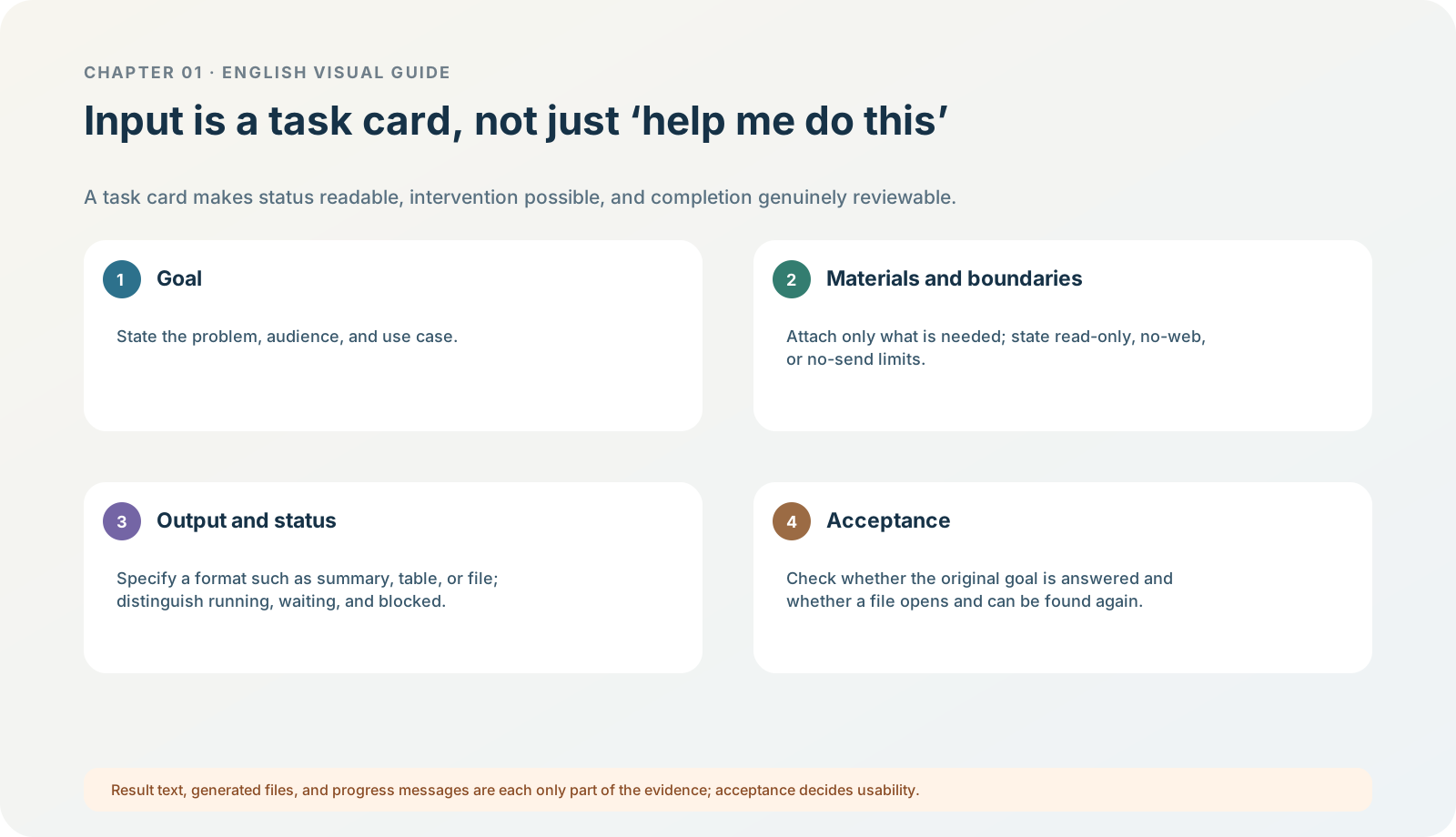
Figure 1-12 · DIA-01-V2-06. Task cards and acceptance (teaching diagram, not a live-product screenshot).
This section answers: How do you turn “help me organize this” into a task that can be performed, accepted, and kept within bounds?
The composer is not a “chat box”; it is the start of a task boundary
Text, attachments, images, screenshots, and voice are all input materials. They do not automatically state the goal, scope, permissions, or acceptance criteria. The more material there is, the more clearly you must write, before submitting, “use only these items, do not do these things, and make the output look like this.” When a task needs to explain a real interface, prefer redacted screenshots; do not use full-screen teaching material containing accounts, notifications, customer information, keys, or private file names.
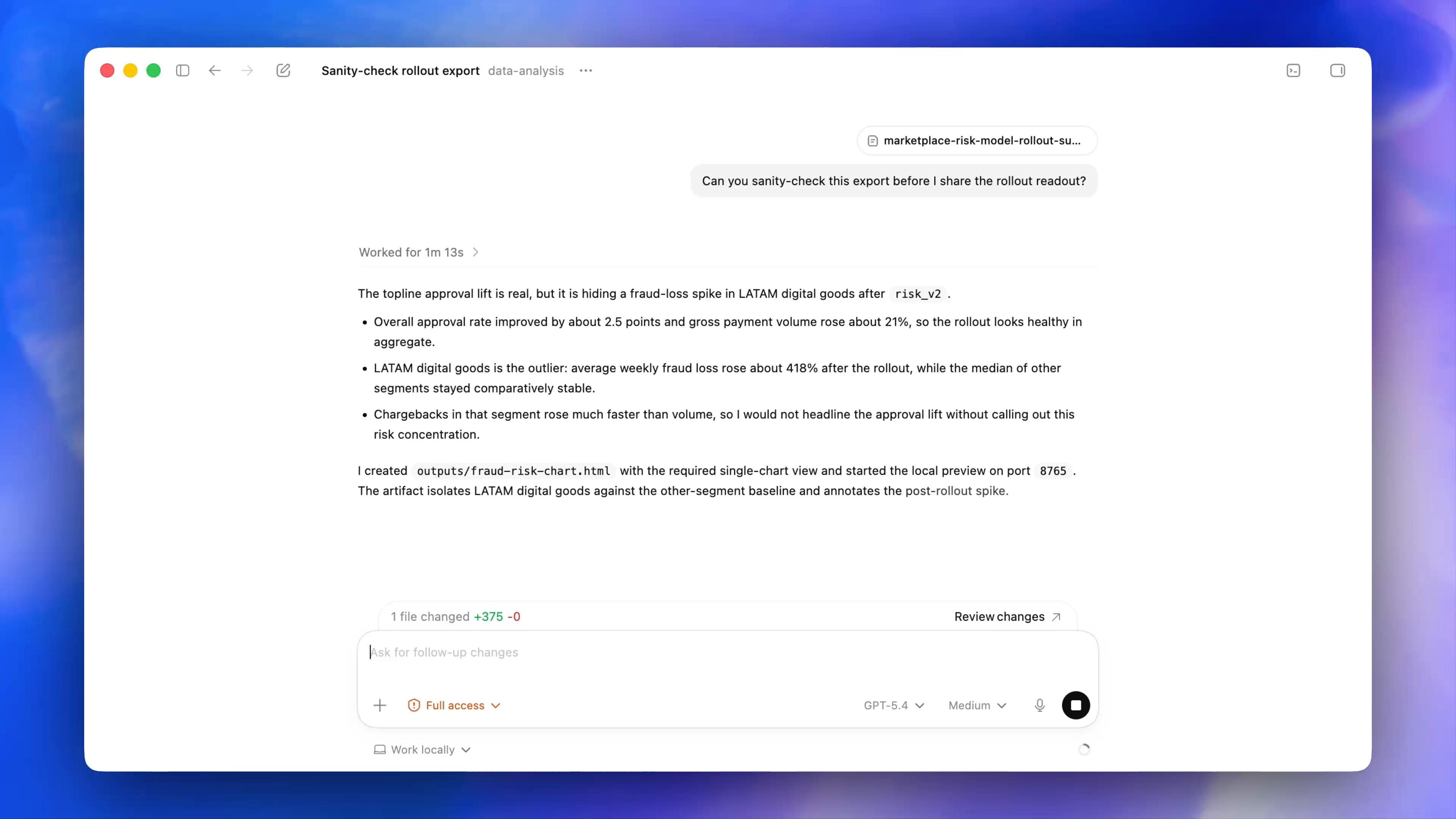
Figure 1-12A · Public OpenAI desktop demonstration frame (verified 2026-07-30; source page). The composer shows +, a permission control, model, reasoning, voice, and Work locally. It shows that these controls are separate dimensions; it does not make “attachable” or “Full access” a default authorization. The state in the image is an official demonstration and cannot be generalized to your account.
A reusable task card
| Field | What to write | What happens if it is omitted |
|---|---|---|
| Goal | The specific problem and intended reader. | You receive a generic answer. |
| Materials | The files / images that may be read, and their boundary. | The file or context scope can easily expand. |
| Prohibitions | No web access, no writing, no sending, no access to other folders, and so on. | “Convenience” is mistaken for authorization. |
| Output | Language / a table / a three-part structure / a file, plus length. | The result is hard to reuse or accept. |
| Acceptance | Which facts must not be wrong and what must appear. | Completion is judged only by “it looks good.” |
Follow along: the first safe prompt for North Shore Reading Club
Use the following prompt in the current safe entry point. It permits only the two input files in the exercise pack:
You may read only brief.md and meeting_notes.md in the current exercise folder.Do not modify, create, rename, move, or delete any file; access content outside the folder; search the web; send, publish, or connect to any external service.
Output only these three parts in English:
- Confirmed facts: 5–8 items, each supported by the input files;
- Judgments: no more than 3 items, each explicitly labelled “judgment”;
- Open questions: list information that is not yet decided or still needs to be added.
Do not invent missing information. Do not output a file.
Expected result: even if the model knows nothing about the reading club, it knows what it may read, what it must not do, and how the output will be accepted.
Four checks for files, images, screenshots, and voice
Before submitting, ask each question:
- Is this material really the smallest scope necessary for this task?
- Does it contain credentials, identity information, customer material, notifications, file paths, or unauthorized content?
- Have I written what the model may not access, modify, or send?
- Can I decide, item by item, whether the result is right or wrong after it arrives?
Voice is only an input form; it does not automatically reduce privacy or acceptance requirements. Images and screenshots are not “safe to submit because they are visible,” either.
Even if the current interface shows an attachment entry, voice, or controls such as Browser, decide separately whether this task needs them. They are not a shortcut permission to “give more material to AI.” Upload only the necessary minimum fictional material for the exercise, and always write the prohibitions into the current task card.
Minimum exercise and acceptance
Complete the five-field task card for a task that “organizes two meeting notes.”
Passing standard: someone who sees only the task card can still identify the material boundary, prohibitions, and acceptance method. Common pitfall: uploading a real screenshot or an entire folder all at once as “extra context.” Next: after a task is sent, its title and more menu determine whether it can be found again, managed, and safely closed.