 YunLab.ai
 CHAPTER 01 · 1.24
Pitfalls and Final Checklist
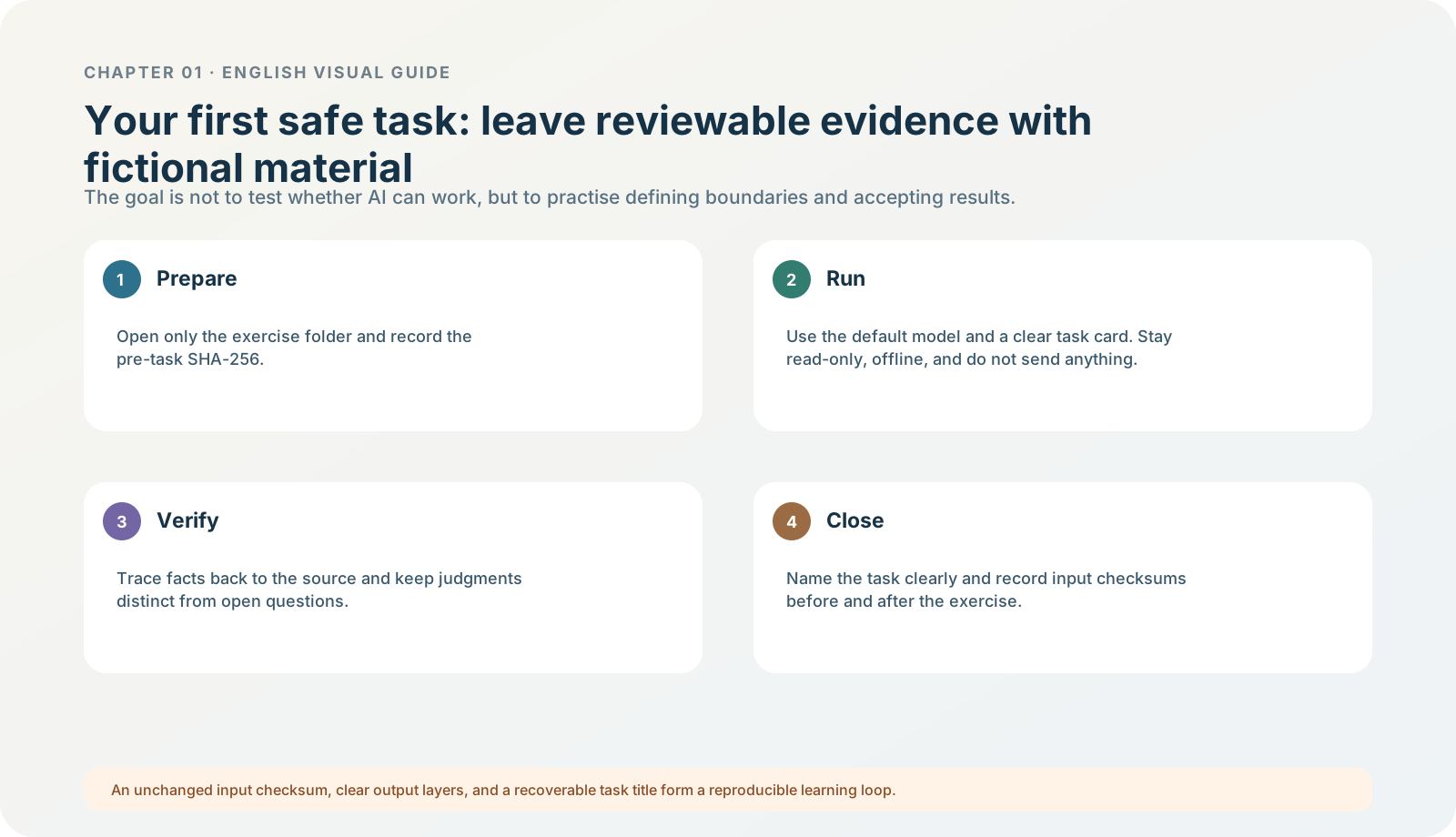
Figure 1-24 · DIA-01-V2-08. Closing the Chapter 01 learning loop (teaching diagram, not a live-product screenshot).
This section answers: What is the standard for completing Chapter 01? Can I safely proceed to Chapter 02?
Not “I clicked every button,” but “I completed a reviewable loop”
Check each item. If any item cannot be checked, that is not failure; it tells you which section to return to next time.
Environment and identity
- I know the product, operating system, and app version I am using.
- I can first determine whether my computer meets the system requirements for the new desktop app, and I know that a web browser or ChatGPT Classic cannot copy this handbook’s Codex / local-file steps.
- I can confirm whether the current workspace is personal or organizational.
- I know that ChatGPT sign-in, an organization workspace, and an API key are three different concepts.
- I can choose one of four paths—no account, existing personal account, organization SSO, or API developer—without repeatedly opening accounts just to try features or casually accepting an organization merge.
- I have not saved a verification code, key, or other credential in chat, screenshots, or notes.
Tasks and models
- I can choose ChatGPT → Chat / Work, Codex, or Voice by the required result, rather than guessing strength from a name.
- I can distinguish the boundaries among chats, projects, and local folders.
- I know that GPT-5.5 and the current GPT-5.6 Sol / Terra / Luna do not have a precise one-to-one mapping, and I will record the models currently visible to me.
- I can explain why ChatGPT display labels, the API’s
reasoning.effort, and Codexultrashould not be forced into a one-to-one mapping. - I compare a model or effort tier using the same task, prompt, and acceptance table, rather than changing tiers by feel.
- I know completing Chapter 01 does not require buying, upgrading, or configuring an API key to match a screenshot; when a feature is unavailable, I record that truthfully.
Data and permissions
- I can write a five-field task card: goal, materials, prohibitions, output, and acceptance.
- I know Browser, a Chrome Profile, Computer Use, plugins, and remote connections are different permission surfaces.
- Before a new permission, I answer the three questions: why, where it reads/writes/sends, and who confirms finally.
- I know Voice is an input mode for the current chat / task; I decide microphone permission only when actively using it and end the session afterward.
- I know sending, publishing, paying, deleting, and production changes are not automatic actions in this chapter.
Fault diagnosis
- I know that “requesting approval” is usually a normal boundary, not a request to raise permissions.
- I can distinguish “a file was not attached,” “a local folder was not opened,” and “the current entry point does not support local files.”
First acceptable task
- I completed, or fully understand, the North Shore Reading Club read-only exercise.
- I can distinguish confirmed facts, judgments, and open questions.
- I can prove that input files were unchanged before and after the exercise, or I know how to complete that check.
- My exercise task has a searchable title, and I know where the acceptance table and reference answer are.
The eight pitfalls most likely in this chapter
| Pitfall | Why it is risky | Remedy |
|---|---|---|
| Using the wrong app / an old tutorial | The entry points and policies you see can differ. | Return to 1.2 and record the product and version. |
| Using an API key in place of identity judgment, or pasting it into chat | A key is an API-project credential; it cannot prove the desktop app’s ChatGPT account, workspace, plan, or billing state, and it creates a disclosure risk. | Return to 1.4: confirm identity in desktop with a ChatGPT account; configure an API workflow separately according to platform documentation and project permissions. |
| Using model names as a leaderboard | It ignores task, eligibility, effort tier, and cost. | Return to 1.9 and compare the same task. |
| Mixing Extra High, xhigh, Max, and Ultra into one ruler | It leads to wrong choices and wrong explanations of usage. | Return to 1.10 and separate product layers first. |
| Uploading an entire directory or a real screenshot | It unnecessarily expands privacy and permission scope. | Return to 1.8 and 1.12; reduce the materials. |
| Treating progress / a file as completion | Factual, structural, and artifact acceptance have not happened. | Return to 1.14 and 1.15. |
| Treating Settings as authorization for this task | Long-term preferences cannot replace a task boundary. | Return to 1.16 and 1.17. |
| Reinstalling or clicking Allow first when an error appears | It destroys evidence, expands scope, and hides the root cause. | Return to 1.23 and start with a non-destructive check. |
Chapter deliverables: what to retain after learning
- A four-line learning record for environment and identity.
- One task record named “Chapter 01|Read-only Exercise|North Shore Reading Club.”
- An exercise acceptance table showing that before-and-after input checks match.
- An explainable rule about choosing a model or reasoning tier.
- A fault card to use when a feature differs.
These items contain no private material, yet they are enough to show another person that you did not merely “ask AI something”; you completed a controlled, verifiable learning task.
Starting question before the next chapter
Before moving into more complex project progress, file collaboration, or automation, first answer: can I clearly write the next task’s goal, material boundary, prohibitions, output, and acceptance? If not, keep using fictional exercises until the task card is clear. If yes, move the same method to more real, but still controlled, work.
Chapter end: real-interface evidence, official sources, and how to update
The dynamic facts in this chapter were verified on 2026-07-31. Models, plans, usage, button locations, and rollout can change. If what you read differs from your interface, do not treat this chapter or another person’s screenshot as the highest authority; first check the official pages below and the current in-app explanation:
Identify the type of figure first
This chapter has three visual-evidence tracks: DIA- is a teaching diagram, used to explain choices and safety logic; CUR- is real interface material from current OpenAI Learn documentation or public desktop demonstrations, and captions state whether it is desktop or web, its source page, and the limits of what it proves; UI- is reserved for later local screenshots captured in a clean practice environment. Historical material remains in the asset library for audit, but no longer appears in the body or serves as operational evidence for this new edition. The source, privacy check, and publication boundary for each current real-interface image are described in the public source-boundary note.
- ChatGPT desktop app
- Use ChatGPT: the current division among Chat, Work, and Codex
- Get started with ChatGPT Work: Work locally / Cloud
- Projects and chats: ChatGPT projects, local projects, and Quick chat
- Models: GPT-5.6, reasoning tiers, Max, and Ultra
- Permissions: Ask for approval, Auto-review, and Full access
- Browser: separate profile, website approval, and Chrome extension
- Computer Use: plugins, system permissions, and app approval
- Plugins: supported product surface, connectors, and installation boundaries
- ChatGPT desktop app commands
- ChatGPT desktop app settings
- Authentication: ChatGPT sign-in and API-key sign-in boundaries
- New macOS desktop-app requirements and ChatGPT Classic
- Moving to the new ChatGPT desktop app
- Sign-in, verification, and organization SSO troubleshooting
- Voice, Work, and Codex desktop boundaries
- Public source-boundary note
- Public source-boundary note
Update principle: first record what you actually see, then check account, workspace, product, and version, and finally consult official guidance. A different interface does not mean a broken installation; an unconfirmed permission does not become authorization merely because it is “convenient.”
Public-source boundary: this public edition retains official-source links and the scope stated in captions. Internal evidence ledgers and audit records are not published and are not materials readers must download.