 YunLab.ai
 CHAPTER 01 · 1.20
Search, History, Projects, and Archive
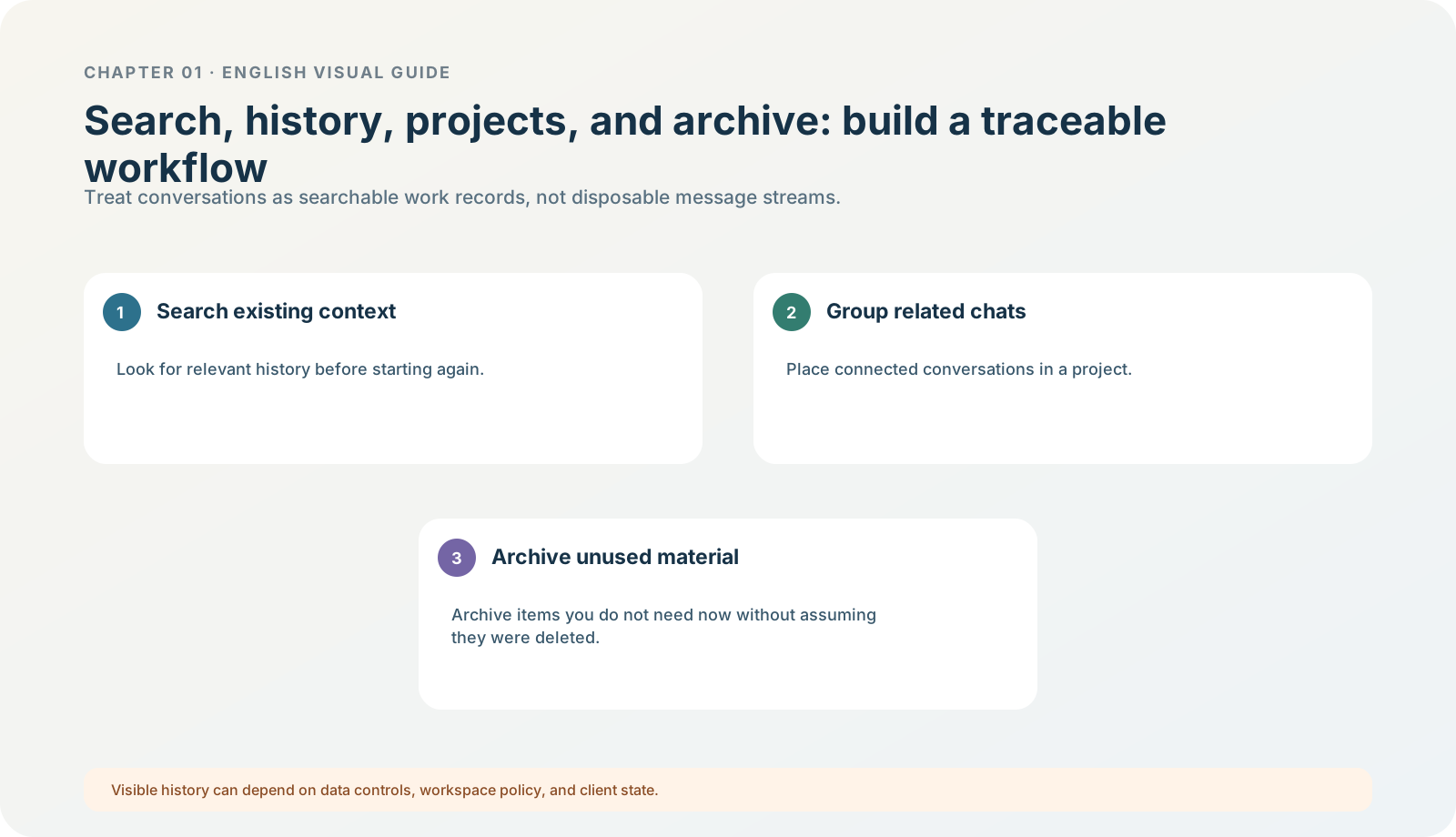
Figure 1-20 · DIA-01-20-01. Search, history, projects, and archive (teaching diagram, not a live-product screenshot).
This section answers: How do you avoid doing the same thing twice without burying genuinely valuable learning records in history?
What each of the four actions solves
| Action | Question it solves | Correct use while learning |
|---|---|---|
| Search | Have I already done, said, or accepted this before? | Use Cmd/Ctrl+G to search chats, then reopen the task; do not mistake the Command menu for chat search. |
| History / threads | I need to return to one specific context. | Recover it through a clear title and date; frequently used chats can be pinned. |
| Projects | Several tasks belong to one stable topic. | Classify only after the topic is clear and materials are controlled; distinguish a ChatGPT project from a local project. |
| Archive | Temporarily hide content while keeping it available for review. | Use for tasks that are not often used but may be reused; restore from Settings > Archived chats. |
Current official guidance treats Projects as containers for related chats, files, Sources, and instructions. Chat search is Cmd/Ctrl+G, while Cmd/Ctrl+K / Cmd/Ctrl+Shift+P open the Command menu; archived chats can be restored under Settings > Archived chats. Projects and chats; ChatGPT desktop app commands
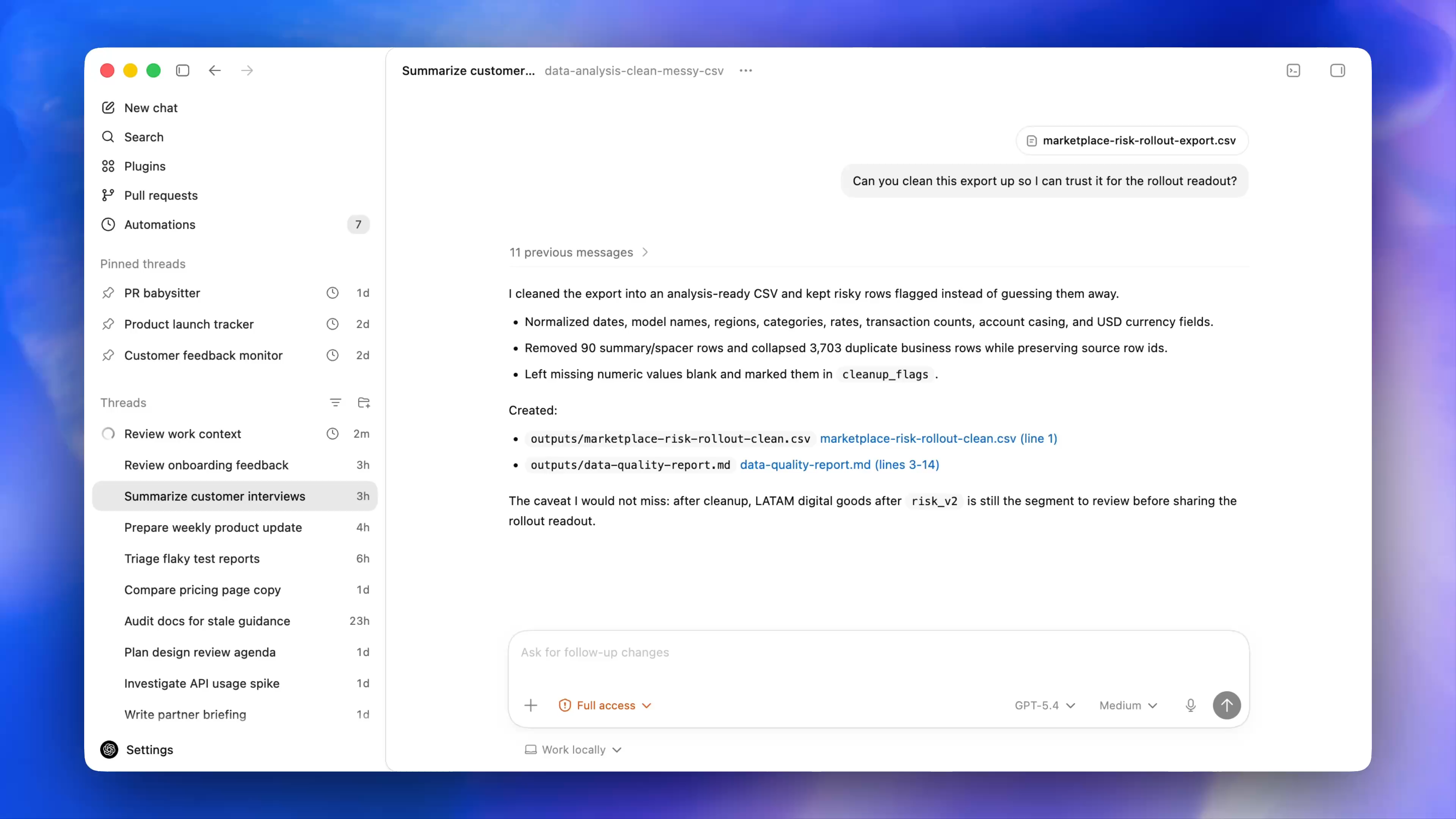
Figure 1-20A · CUR-01-06-01. The current official desktop demonstration shows Search, Pinned threads, and Threads (verified 2026-07-30; source page). Project names, ordering, and thread content in the image are official examples; the image distinguishes “recover a work record” from “open a local folder.”
Follow along: leave three index entries for the North Shore exercise
After completing the read-only exercise, you do not need to create a complex project. Do just three small things:
- Check whether the title can be found with “North Shore / read-only / Chapter 01.”
- In your local learning record, write the exercise-pack path and acceptance date.
- If you decide not to continue for now, first understand the archive location; do not delete.
Expected result: you can recover the task in the app and also know locally where the exercise materials and acceptance criteria are.
The handbook’s judgment: history is not a substitute for an archive
Chat history is appropriate for recovering a process. Deliverable files, sources, exercise inputs, and acceptance tables should be retained in a clear project directory or formal storage location. Do not treat “I remember it is somewhere in history” as long-term delivery management.
Minimum exercise and acceptance
Why does this chapter’s exercise retain both a “searchable title” and an “exercise-pack acceptance table”?
Reference answer: the title helps recover the process; the acceptance table helps judge again whether the result still passes. Common pitfall: deleting every early task to keep things tidy, then being unable to explain the exercise conditions and result. Next: being able to find something again does not mean it can be shared freely; finally establish permission, data, and privacy baselines.