 YunLab.ai
 CHAPTER 01 · 1.21
Permissions, Data, Privacy, and Security Baselines
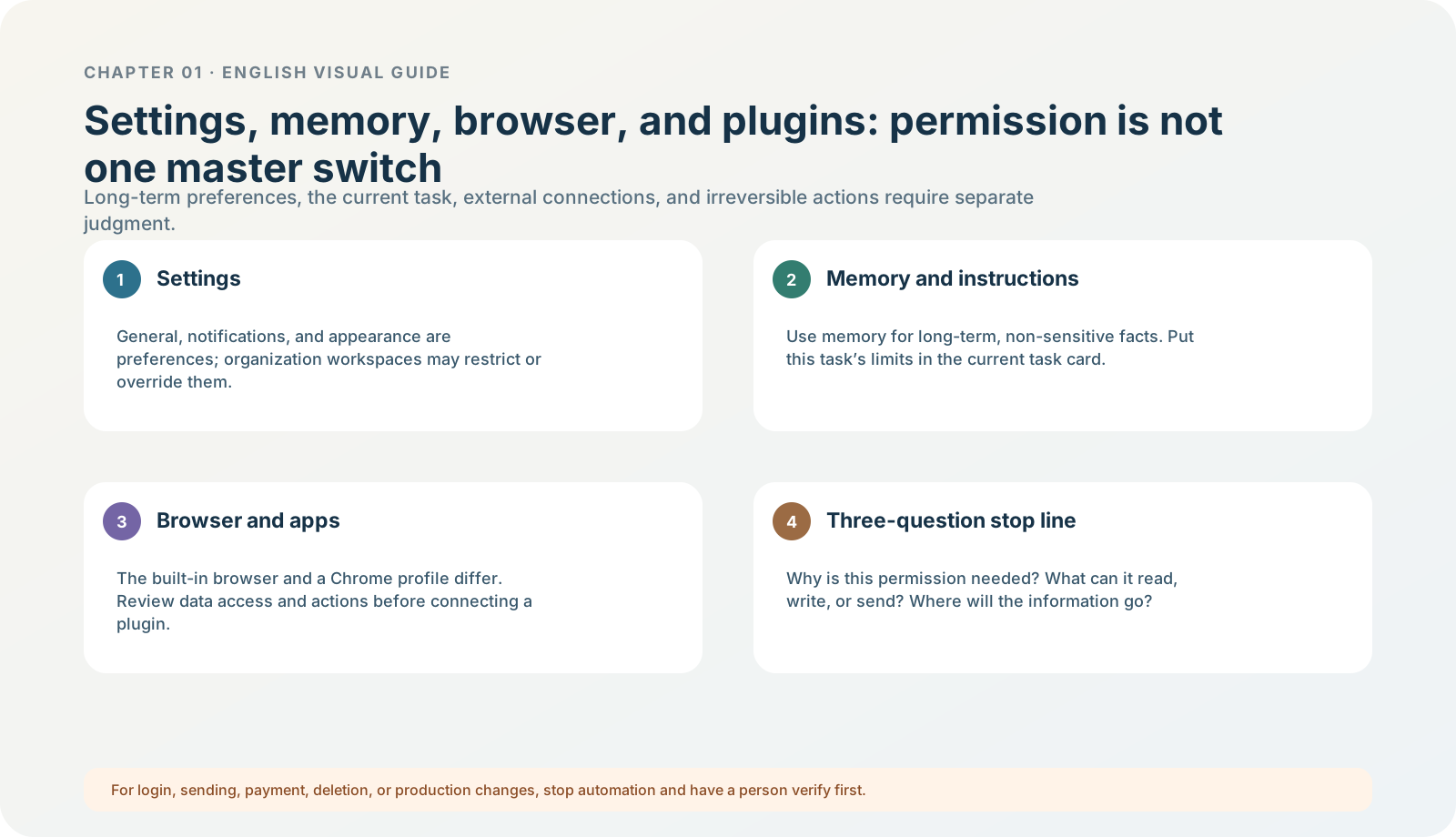
Figure 1-21 · DIA-01-V2-07. The three-question stop line for data and permissions (teaching diagram, not a live-product screenshot).
This section answers: Before every click on “Allow,” how do I decide whether this should happen now?
Permissions are not one master switch
One task can involve a local folder, cloud data, browser websites, connected Apps, microphone, screen content, accessibility, notifications, network, or a remote device. The object, action, and consequence of each access are different. Do not combine them into “let AI access my computer” merely because the task looks convenient.
First recognize two control layers in the new desktop app. The permission control below the composer determines when this task pauses for human review; the sandbox determines the maximum files and network resources it can access. Current official guidance recommends beginning most work with Ask for approval: it permits work in the current workspace but pauses before crossing a boundary. To make Approve for me (called Auto-review in Settings) or Full access appear in the menu, first enable them under Settings > General > Permissions. Enabling only makes an option appear; it does not automatically select it for the current chat. Permissions
The minimum-permission model for this chapter
| Layer | What it may do | Signal that requires stopping |
|---|---|---|
| Observe | View the current product, version, account entry, and setting explanations. | Credentials must be entered or private information is shown. |
| Read-only exercise | Read fictional material and output a text conclusion. | It requests file modification, web access, sending, or access outside the folder. |
| Controlled extension | Try a capability with a defined site / directory and explicit approval. | It enters a signed-in business system, or synchronization / writing / downloading appears. |
| External or irreversible action | Send, publish, pay, delete, or make a production change. | A human must review and explicitly approve. |
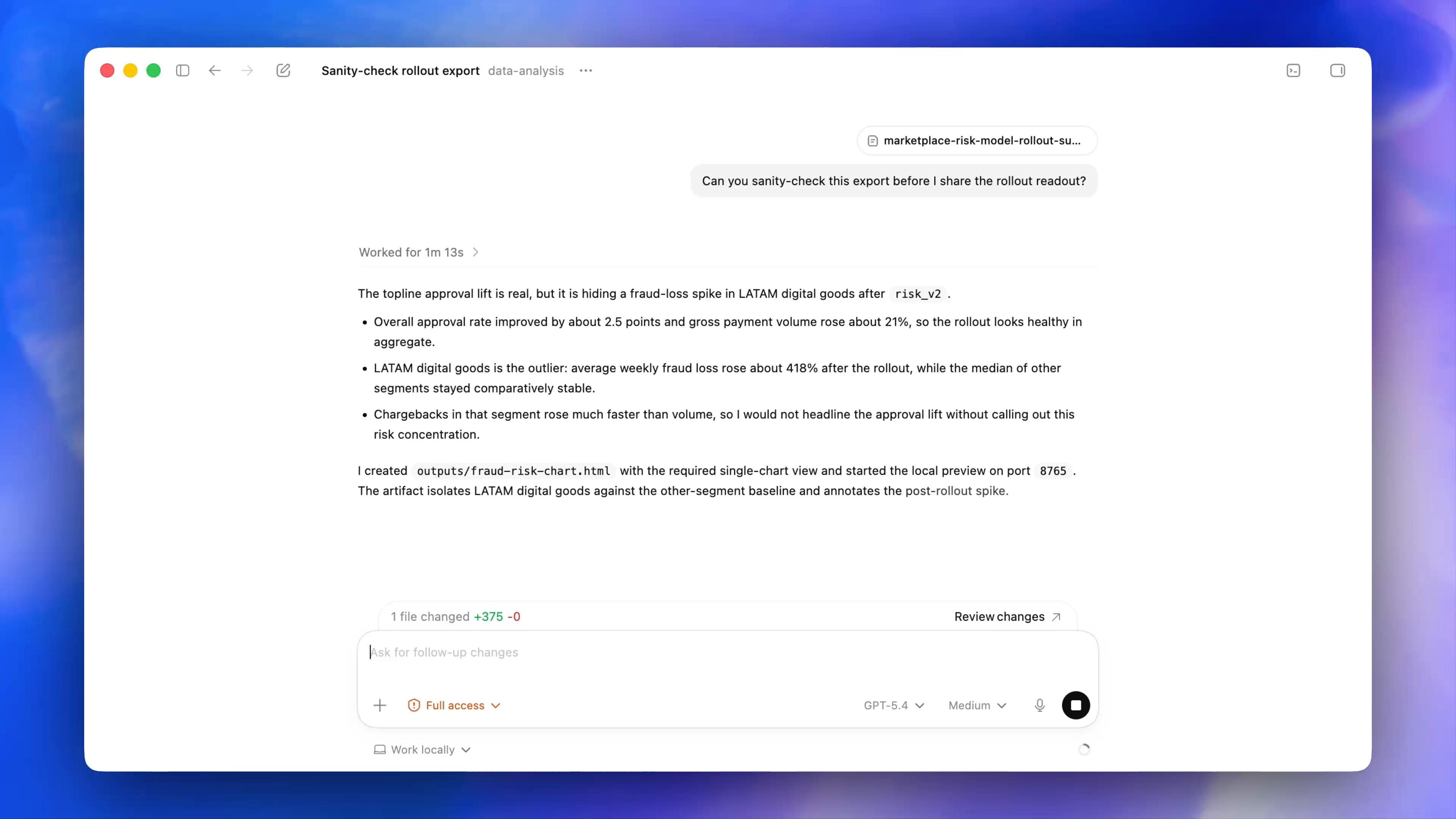
Figure 1-21A · The current official demonstration showsFull access, a model,Medium, and Work locally in the same composer (verified 2026-07-30; source page). These are four different kinds of controls; Full access in the image is a demonstration state and is not this chapter’s recommendation to readers. Chapter 01 begins with Ask for approval.
The three-question stop line
Before allowing a new permission, answer in full:
- Why is this access necessary for this task’s goal?
- What will it read, write, send, or save, and where? Can the scope be made smaller?
- If something goes wrong, is the impact external, paid, irreversible, or privacy-related? Who gives final confirmation?
If you cannot answer clearly, do not click Allow. This is not because the tool is “dangerous”; it is because there are not yet enough facts to support authorization.
Data controls and organization workspaces
Data controls in personal services, default data policies for Business / Enterprise / Edu, workspace-admin rules, and source-system permissions must not be written as one thing. Whatever global data statement you see, it cannot replace the current task’s permission tier, sandbox, browser-site approval, or the separate system authorization for Computer Use. Follow the policy of the day and the description of your current account and workspace. ChatGPT desktop app settings; Permissions
Minimum exercise and acceptance
Apply the three questions to “have AI open a signed-in CRM website and export a customer list.”
Reference answer: this is not a read-only exercise permitted in Chapter 01: it involves a signed-in system, customer data, a possible export, and external impact, so it needs clear business authorization, scope, and human confirmation first. Common pitfall: assuming “read-only” has no privacy or compliance risk, or assuming a plugin / App bypasses source-system permissions. Next: use the boundaries already established to complete your first safe task.