 YunLab.ai
 CHAPTER 01 · 1.2
Product and version: what exactly have you opened?
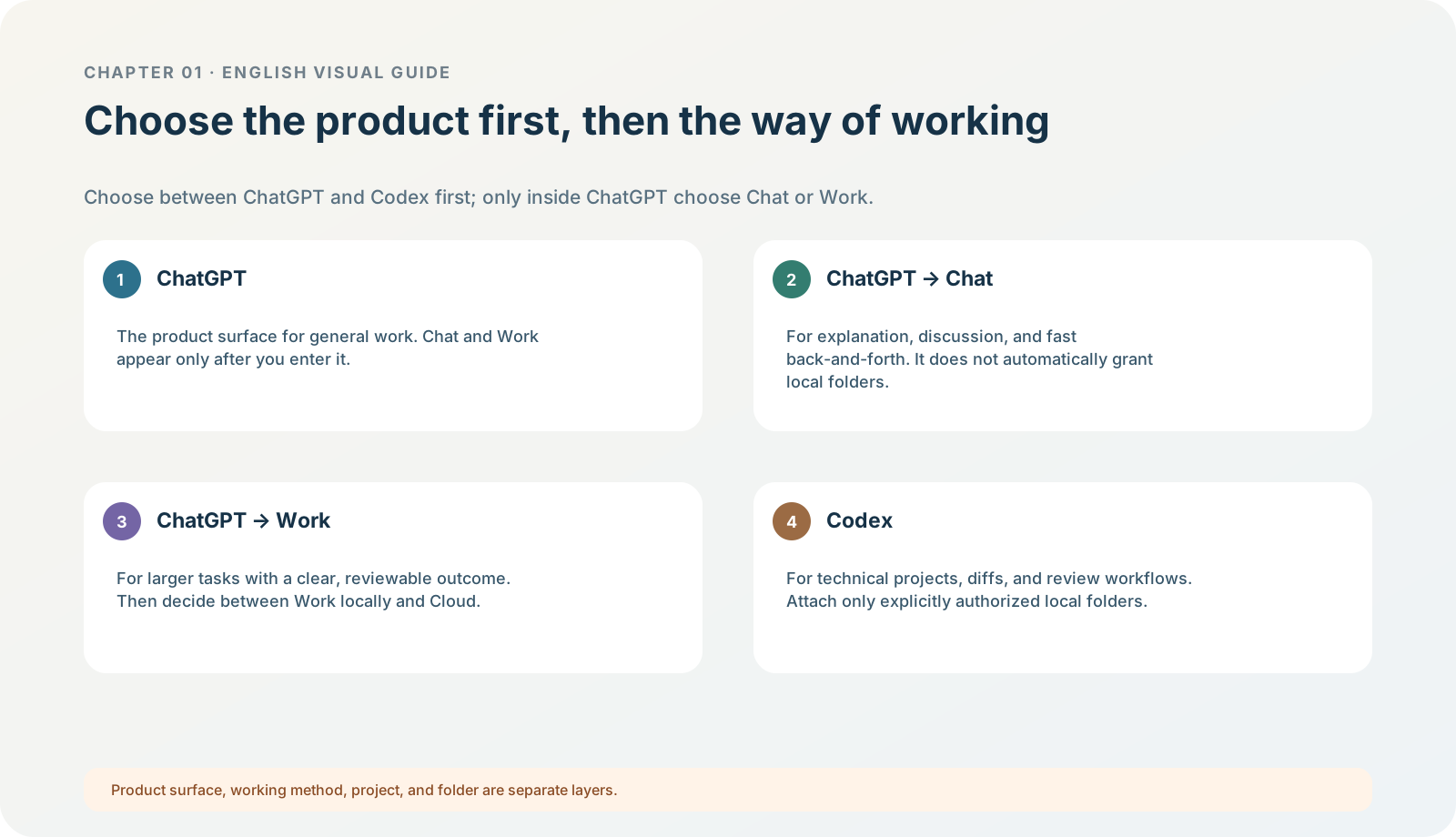
Figure 1-2 · DIA-01-V2-02. The current entry hierarchy: ChatGPT / Codex; only within ChatGPT are Chat / Work separated (teaching diagram, not a live-product screenshot).
This section answers: Why can someone else’s tutorial look different from what I see, even when both say ChatGPT or Codex?
Build the right mental model first
“ChatGPT” may mean the web, a mobile app, or the current desktop app; “Codex” may mean the Codex product surface in the desktop app, the CLI, an IDE extension, or the cloud service. They share some account access and capabilities, but not every menu, method of file access, or device permission. In the current desktop app, the first choice is not to treat Chat, Work, and Codex as three peer labels from an older layout. Choose ChatGPT or Codex first; then, within ChatGPT, use the switcher to choose Chat or Work. Older clients and tutorials may still use different names and layouts. Current official information: Use ChatGPT
What you will see
On macOS, you can usually confirm the app name and version through an “About” entry in the menu bar or in Settings; confirm the system version in System Settings. When you open the app, record two levels of entry first: does the product selector show ChatGPT or Codex; if you are in ChatGPT, is the switcher on Chat or Work? For learning, recording the words you actually see is more reliable than forcing language from an old tutorial onto your screen.
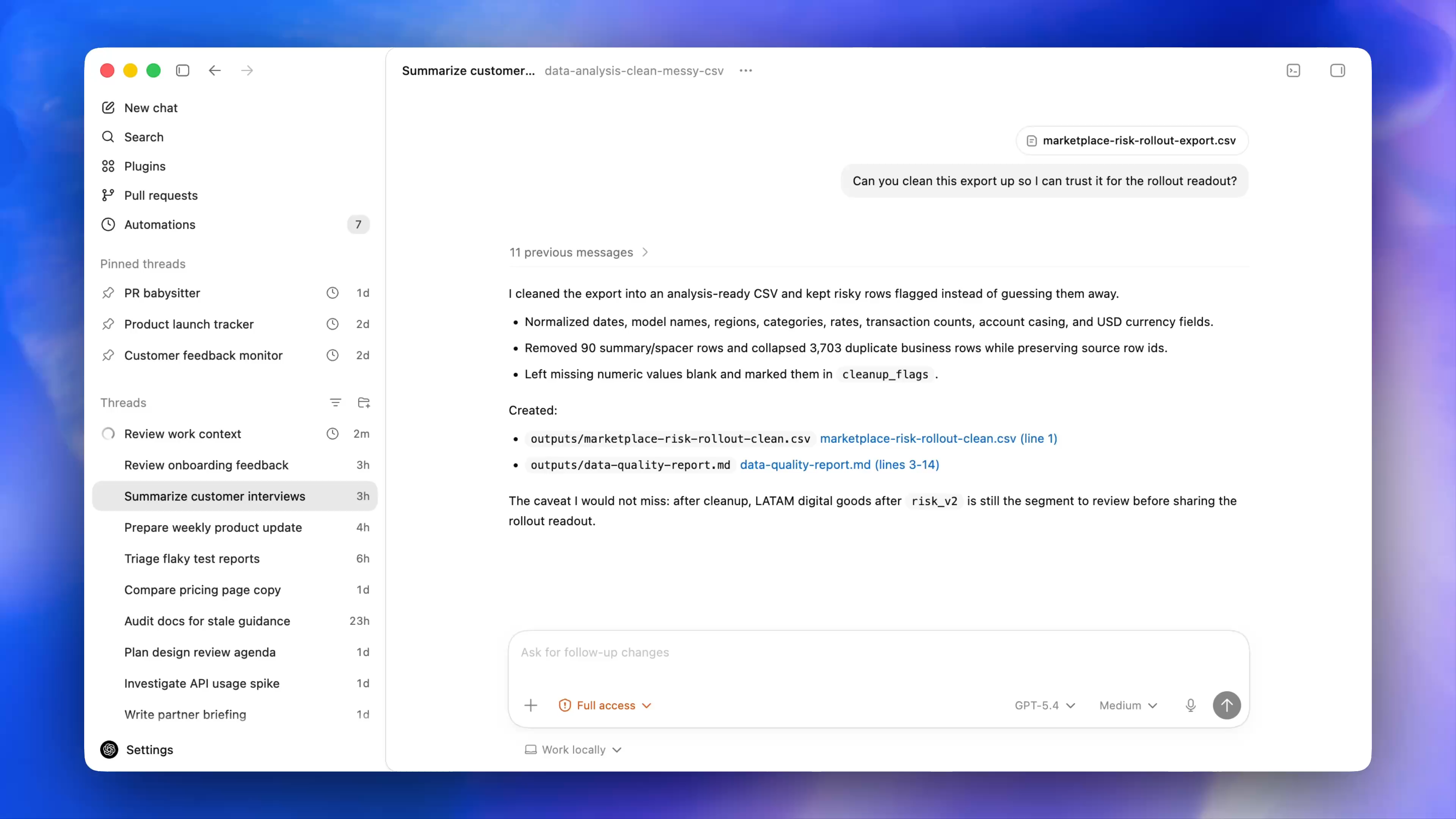
Figure 1-2A · CUR-01-06-01. An OpenAI current desktop demonstration shows one workspace form after choosing Codex: New chat, Search, projects/threads, and Settings are visible. It supports the fact that the current desktop app has a distinct Codex workspace; it does not show the product selector, and cannot prove that a reader will see the same projects, models, or permissions.
Follow along: a five-minute product confirmation card
| What to record | What you are confirming | What to do first if you cannot find it |
|---|---|---|
| App name | Is this the current desktop app, an older client, or a browser tab? | Return to the app switcher or check the menu-bar name. |
| App version | Could a feature simply not be in this version yet? | Check version information in “About” or Settings. |
| System version | Has the tutorial applied steps from another platform to this machine? | Record the fact only; do not upgrade the system first. |
| Current experience | Which of Chat, Work, and Codex can you see? | Record “not currently visible”, then check eligibility conditions. |
| Current level | Are you in Chat / Work within ChatGPT, or have you chosen Codex? | Return to the product selector and switcher; record the actual wording. |
| Workspace type | Could personal settings be managed by an organisation? | Return to the account menu and check. |
Expected result: you can say in full: “I am using ___ on ___ system, version ___, and currently see ___.”
Teaching judgement: do not delete one of two similar icons outright
If two similar apps appear on your computer, do not uninstall one just because the icons look alike. Open each one, record its name, version, and sign-in state, then compare them with official release or migration information. Deleting an older app is not a Chapter 01 exercise; this chapter only asks you to remove the uncertainty of “I do not know which one is running.”
Minimum exercise and acceptance
Fill in the first three rows of the table. For the fourth and fifth rows, “uncertain” is allowed.
Pass condition: you no longer use “I am using ChatGPT” in place of product, version, and entry-point information. Common pitfall: deciding that installation failed because you cannot see Work or Codex. First check version, plan, region, and workspace. Next: confirm the safe official route for download, installation, and updates.