 YunLab.ai
 CHAPTER 01 · 1.18
Browser, Computer Use, Chrome, and Remote Connections: Understand the Boundaries First
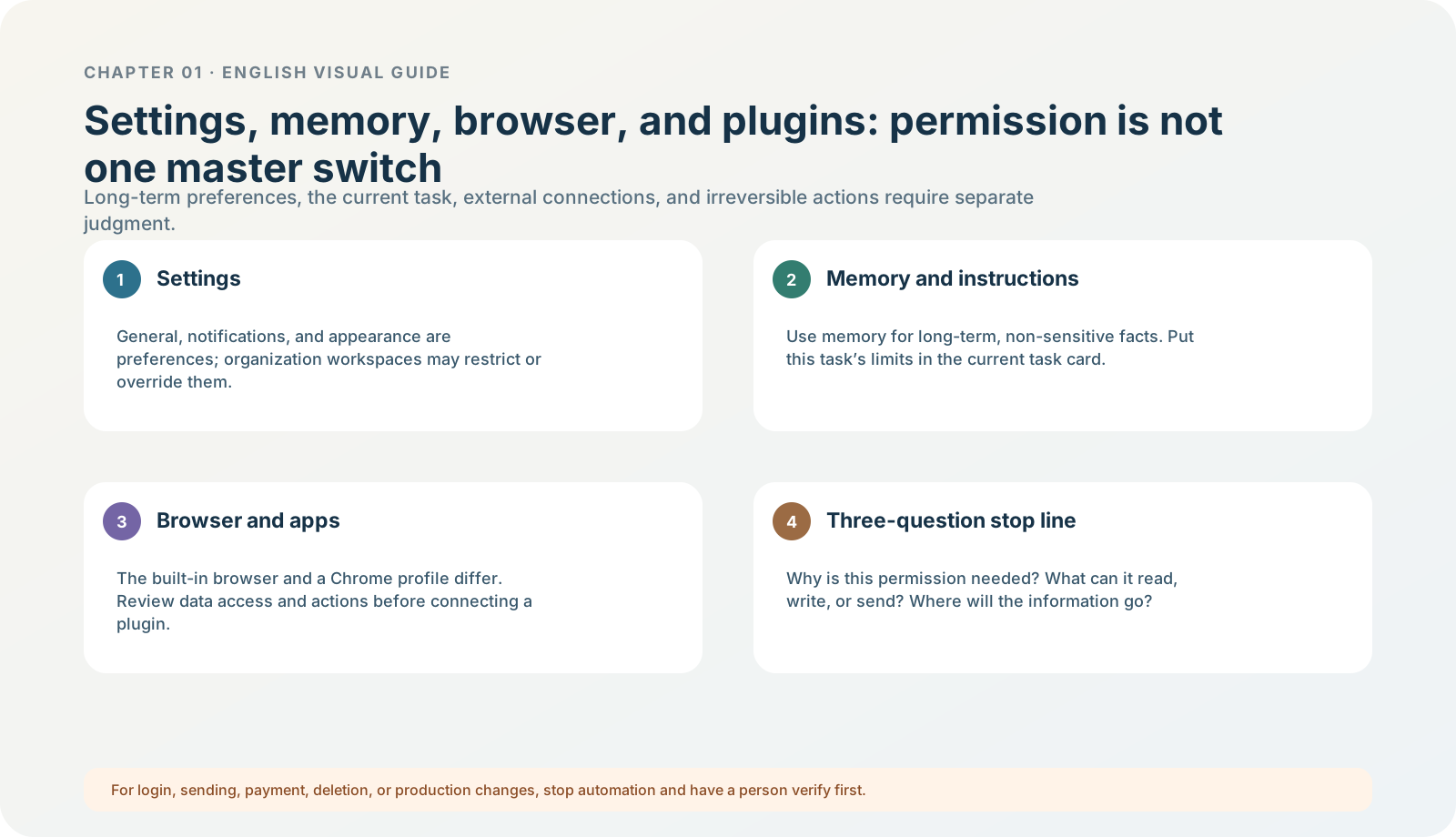
Figure 1-18 · DIA-01-V2-07. Browser, connection, and permission boundaries (teaching diagram, not a live-product screenshot).
This section answers: What do “can browse the web,” “can use Chrome,” and “can control the computer” each mean?
Four capabilities; they are not at the same risk level
| Capability | What it may do | Boundary for first learning |
|---|---|---|
| Read a public webpage | View page content and extract information. | Try only a clearly public page in a small scope. |
| Built-in desktop browser | Open in-app tabs, download, wait for you to sign in, and view a page together. | Do not sign in to a business system or download an unknown file. |
| Chrome extension / existing profile | May use an existing Chrome sign-in state, tabs, and extensions. | Confirm the current Chrome account first; do not authorize by default. |
| Computer Use / remote connection | May read the screen or operate pages or devices. | Do not demonstrate real accounts, payments, sending, deletion, or production environments. |
Current official information: the built-in Browser uses a profile separate from your everyday browser and does not share your usual Chrome tabs or session by default. If a task truly needs existing Chrome tabs or a profile, use the Chrome extension. Browser asks for site permission when accessing a new site and asks again for sensitive actions such as submission, purchase, permission changes, or deletion; it cannot automate file uploads. Browser

Figure 1-18A · CUR-01-14-01. The current official desktop demonstration shows a Browser panel in the task workspace (verified 2026-07-30; source page). It only shows Browser as a separate panel within a task; it does not mean your Chrome sign-in state is already shared or that a first exercise should open a real website.
The new Computer Use entry point must be recorded separately as well. It is not a capability you automatically gain by opening Browser: the current official flow is to choose ChatGPT → Work or Codex; install / enable it under Plugins > Computer Use; then check app access under Settings > Computer Use. macOS also asks separately for Screen Recording and Accessibility. System-level permission, approval for each app, the current task’s file / network sandbox, and the composer’s permission tier are four different layers of control. Computer Use
Why even “the same webpage” must be reconfirmed
The built-in Browser, your usual Chrome, and a cloud browser can have different sign-in states, cookies, download locations, and permission models. Opening the same URL does not mean they will see the same account. Current documentation also says Browser downloads go to the system Downloads folder by default (adjustable under Settings > Browser). Before entering any page for the first time, ask: is it a public page or a signed-in page? Whose account is current? Does the task truly need it?
Follow along: identify entry points only; do not authorize anything
- Find categories such as browser, Chrome, Computer Use, and remote connections in Settings or the toolbar, if they are currently visible.
- Read the permission explanation or prompt near the entry point.
- Do not open a real work website, sign in, enter a password, send anything, or download.
- Write in your learning record:
currently visible / currently not visible; possible scope; why I will not enable it in this chapter.
Expected result: you know these are different capabilities rather than treating “browser” as one risk-free master switch.
The three-question stop line
Before allowing browser or computer control each time, ask:
- Why must this website / app be accessed now?
- Which account, pages, files, or notifications will it see?
- Could it send, pay, delete, modify, or download into a real directory? Who gives final confirmation?
If any question is unclear, stop at entry-point identification; do not “try it out” with a real account.
Minimum exercise and acceptance
Answer: why can you not interpret “the built-in browser can sign in” as “it is using my Chrome account”?
Reference answer: official documentation clearly separates the built-in browser’s own state from a Chrome Profile; whether an existing sign-in state is used depends on the capability selected and current authorization. Common pitfall: pasting a password into the chat box and asking the model to “help me sign in.” Next: Skills, plugins, automation, and commands likewise change data and action boundaries.